Notifications
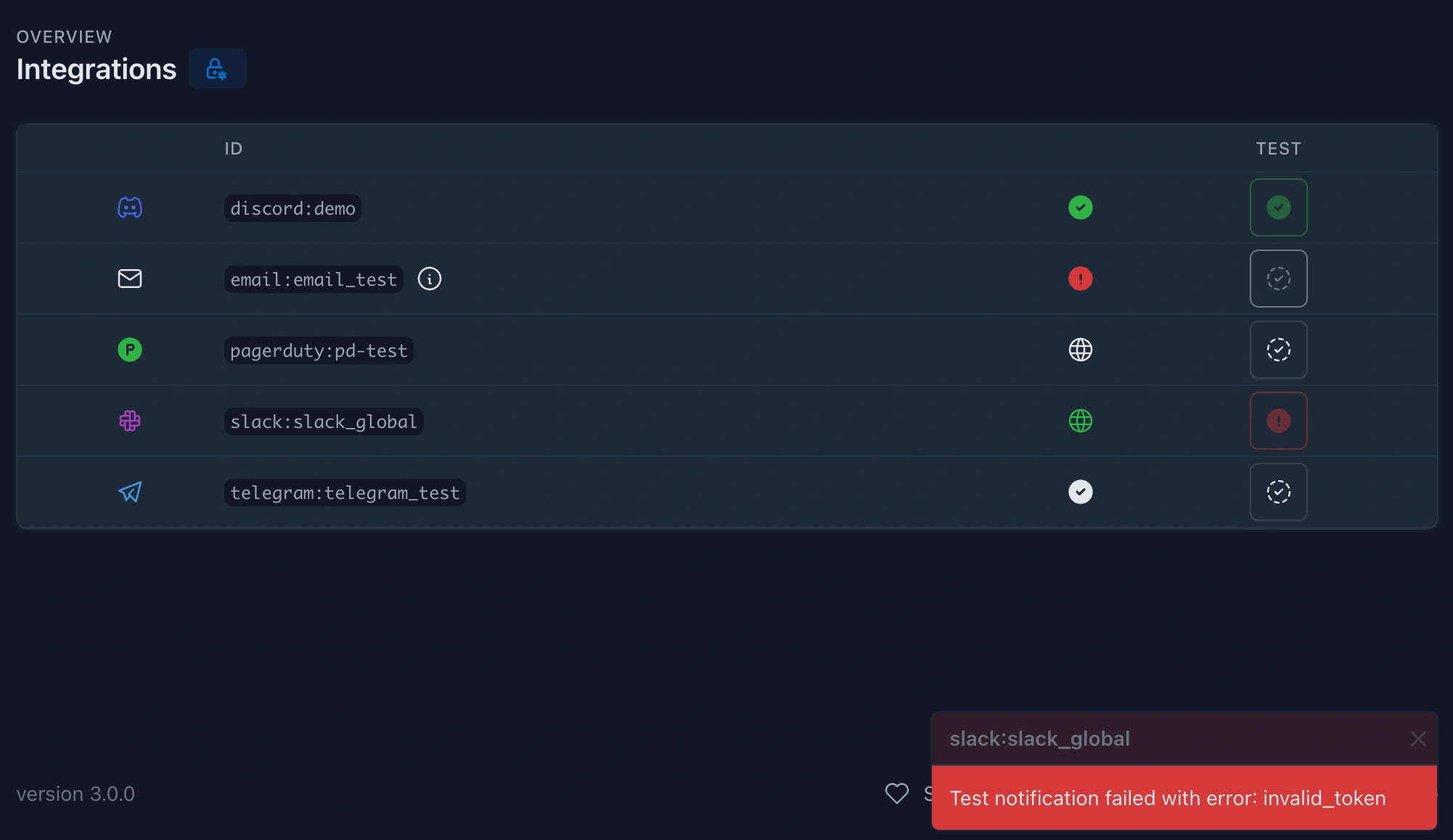
Kuvasz supports a variety of integrations to help you **stay informed ** about the status of your monitors. If you're curious about the configuration options, just click on the icon, next to the integration name, and it will take you to the relevant section of the configuration documentation.
Info
Integrations can be:
- global, meaning that they can be used for all monitors by default, or
- assigned to specific monitors.
You can also configure multiple integrations of the same type, for example, multiple Slack channels, or multiple email addresses to notify.
Watched events
Every integration **watches a set of events ** by default, which are fired by the monitors. These events are currently the following:
Uptime events
| Event | Description |
|---|---|
HTTP_UP PUSH_UP ICMP_UP TCP_UP DNS_UP |
Fired, when a monitor is healthy now (and it was unhealthy before) |
HTTP_DOWN PUSH_DOWN ICMP_DOWN TCP_DOWN DNS_DOWN |
Fired, when a monitors is unhealthy |
DNS events
| Event | Description |
|---|---|
DNS_RECORDS_CHANGED |
Fired, when the resolved records of a DNS monitor change (only if drift detection is enabled on the monitor) |
Drift notifications behave differently from uptime events:
- They are independent of the up/down status: a monitor that is perfectly UP can - and should - report drift, since a hijacked delegation or an accidental record change resolves just fine.
- They never create an incident and never change the monitor's status. The notification contains the previous and the current records, so you can see exactly what changed.
- On PagerDuty a drift alert is triggered as a
warning, and since it is not tied to an up/down transition, it is not resolved automatically - each distinct answer set triggers its own alert.
SSL events
| Event | Description |
|---|---|
SSL_VALID |
Fired, when an SSL certificate is valid now (and it was SSL_INVALID or SSL_WILL_EXPIRE before) |
SSL_INVALID |
Fired, when an SSL certificate is invalid or expired now |
SSL_WILL_EXPIRE |
Fired, when an SSL certificate will expire in the next X days (X is configurable per monitor) |
Maintenance events
| Event | Description |
|---|---|
MAINTENANCE_START |
Fired, when a maintenance window starts |
MAINTENANCE_END |
Fired, when a maintenance window ends |
Maintenance notifications behave differently from monitor events:
- They are sent only to the integrations explicitly assigned to the maintenance window. Unlike monitor events, globally-enabled integrations are intentionally ignored here, so a global integration only receives maintenance notifications when it is explicitly assigned to the window.
- All integration types are supported. On PagerDuty a start event triggers a
warningalert and the end event resolves it. - For custom webhooks, maintenance events reuse the same payload contract as monitor events, but the monitor-specific fields are blank, because a maintenance window is not tied to a single monitor:
monitorIdis0andmonitorUrn,monitorNameandmonitorDetailsUrlare empty strings. Thetype,timestampandeventDetailsfields are populated as usual, and any existingpayloadTemplatekeeps working (the blank monitor variables simply render as empty).
Excluding certain events
You can exclude certain events from triggering notifications on a per-integration basis. This allows you to, for example, only receive notifications about downtime, but not about SSL certificate issues. This works for maintenance events too.
Slack
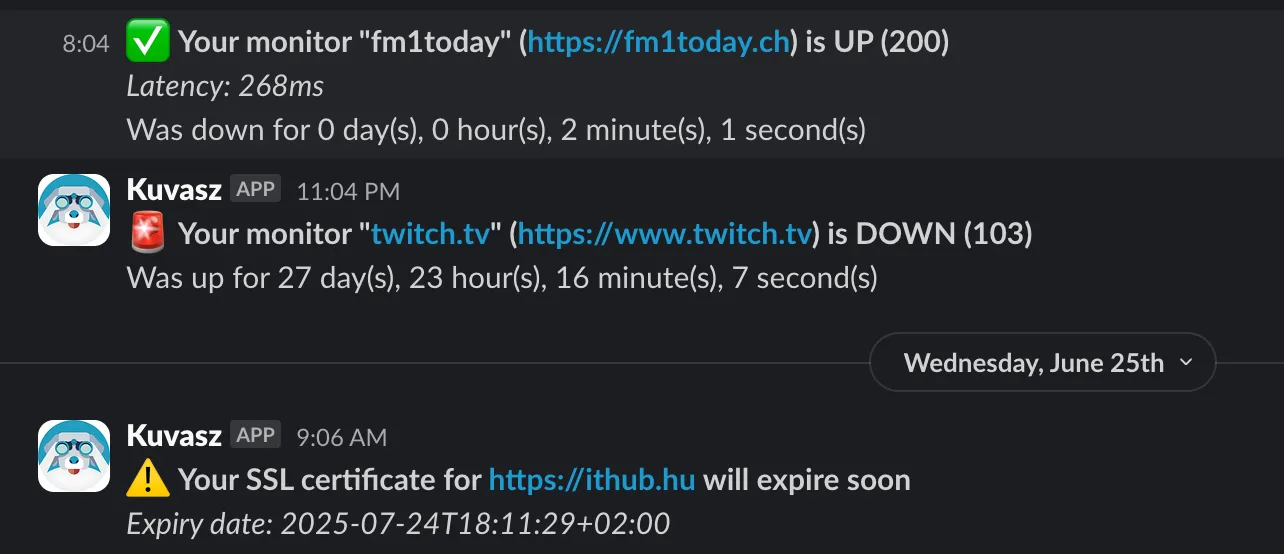
You can set up Slack as a notification channel for your monitors. This allows you to receive notifications about the status of your monitors directly in your Slack channels.
Discord
The Discord integration allows you to send notifications to Discord channels . This allows you to receive notifications about the status of your monitors directly in your Discord channels.
Microsoft Teams
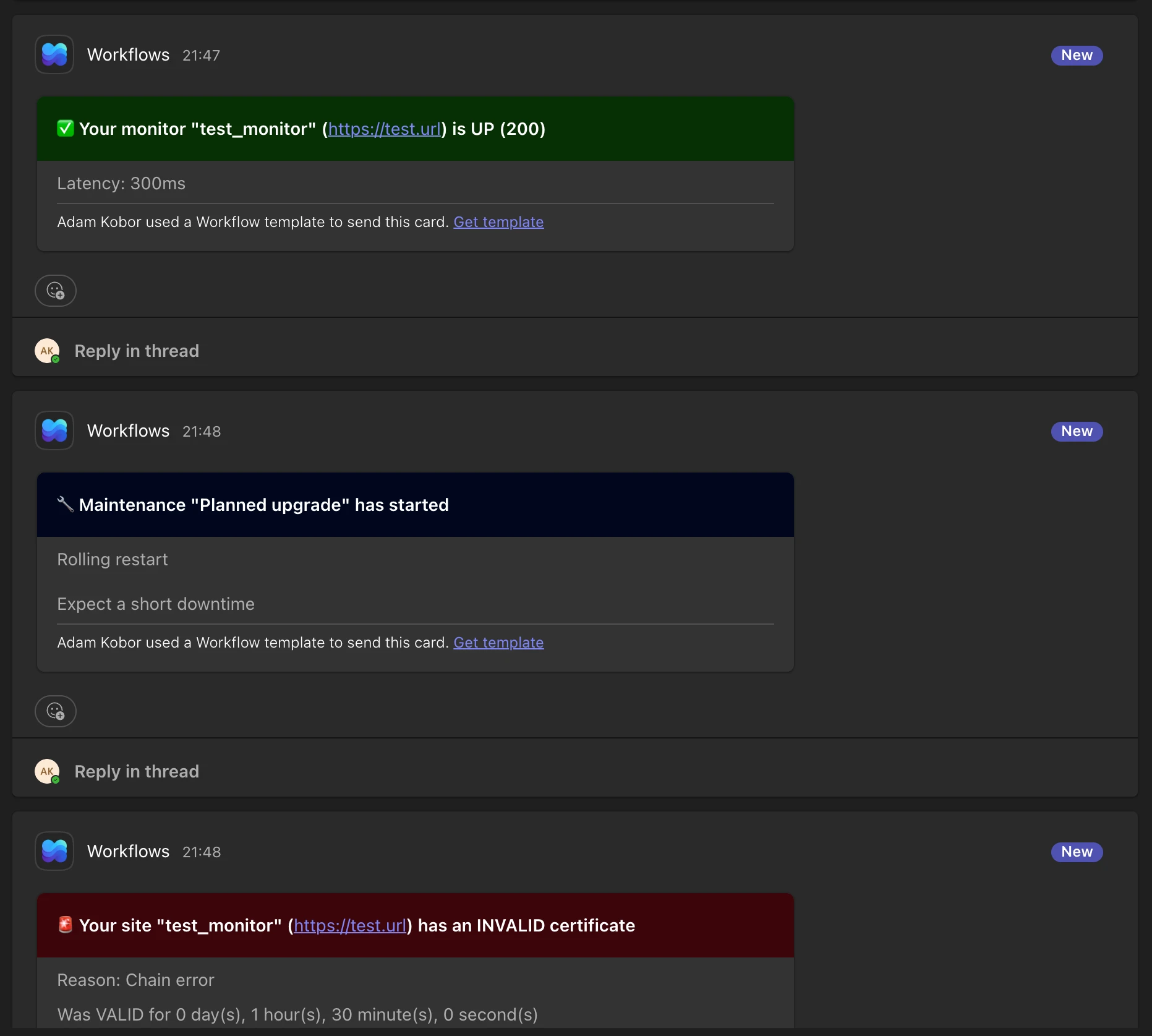
The Microsoft Teams integration posts notifications to your Teams channels and chats as Adaptive Cards, color-coded by the severity of the event. It uses the Workflows app, so it is unaffected by the retirement of the Microsoft 365 Connectors.
Apprise
The Apprise integration hands your notifications to a self-hosted Apprise API instance, which forwards them to 80+ services at once - from ntfy and Gotify through Matrix and Pushover to SMS providers. The severity of the event travels with the notification, so the targets can color and prioritize it accordingly.
Pushover
The Pushover integration sends push notifications to your phone, tablet and desktop. The severity of the event decides the priority of the notification, so an outage is allowed to break through the quiet hours of the recipient, while a recovery isn't. Critical events can optionally be escalated to the emergency priority, which repeats the notification until it's acknowledged - and Kuvasz calls it off automatically once the monitor recovers.
The email integration lets you to configure an SMTP connection, with which Kuvasz can send you simple email notifications about the status of your monitors.
PagerDuty
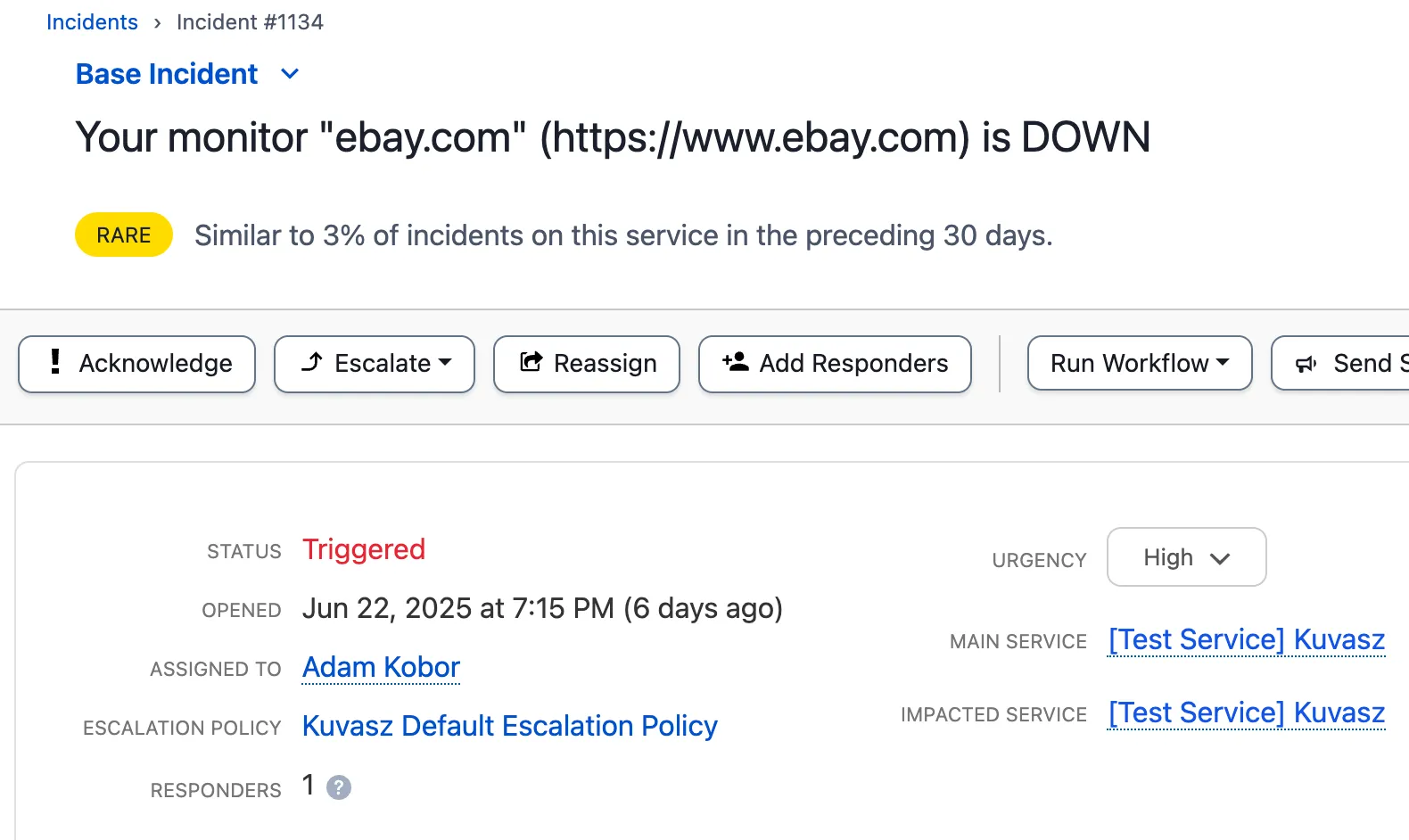
The PagerDuty integration allows you to trigger incidents in PagerDuty ** when a monitor goes down or an SSL certificate is invalid or will expire soon. This way, you can ensure that your team is notified immediately about critical issues. Incidents will be automatically resolved** when the monitor is back up or the SSL certificate is valid again.
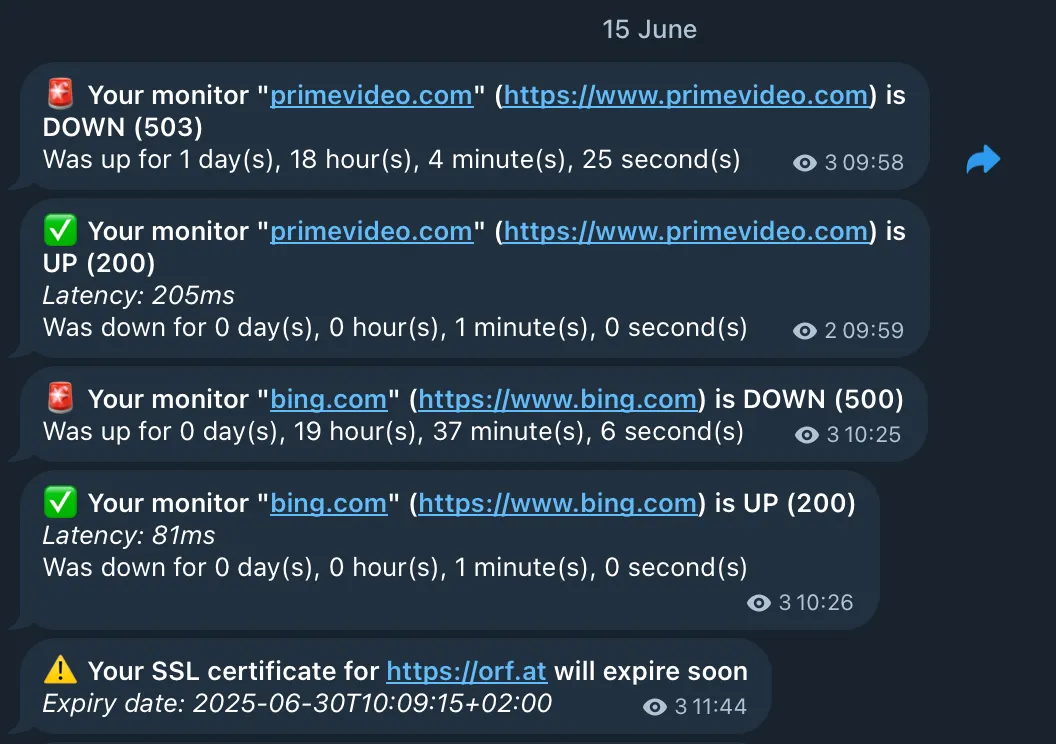
Telegram
The Telegram integration allows you to send notifications to a specific Telegram chat ** via the Bot API. You can use it to receive notifications about the status of your monitors directly in your Telegram app**.
Webhooks
The Webhook integration allows you to send notifications to any HTTP endpoint . This is a very flexible integration, as it allows you to integrate with any service that supports incoming webhooks, or even with your own custom backend.
Since you can configure which events the webhook should watch, and also the payload via custom templates, you can use this integration to build your own custom notifications or to integrate with services that are not supported out of the box.
Do you miss an integration?
If you miss an integration, please open an issue, or consider contributing it yourself! We are always open to new integrations and would love to see your contribution.